

There are multiple ways to add people from Facebook to LeadMagicX, so you can choose the way that you feel comfortable with. If the icon is in the color of blue-gray, that means you haven't added this person to your funnel yet. To do so, click on the icon and a pop-up window will take a few seconds to show up. Select "Add to funnel". Select a funnel and a stage and save. Once you add this person to LeadMagicX, the icon will change to bright blue.
Blue-Gray Icon:

Bright Blue Icon

1. Add contacts individually
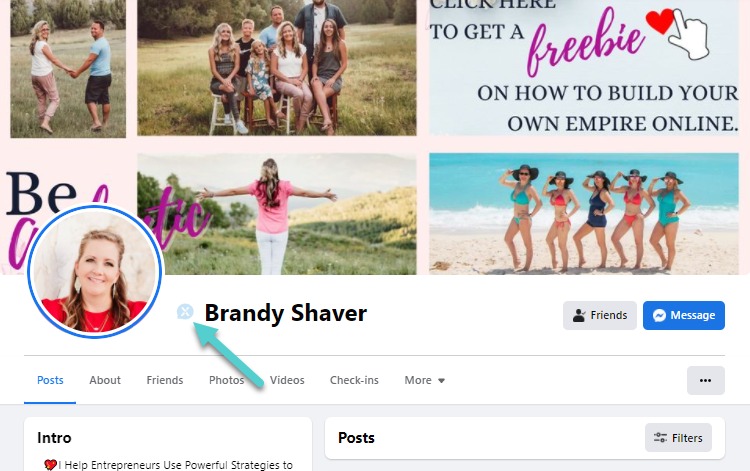
a) One way is to go to a person's profile. The LeadMagicX icon will show up next to the person's name.
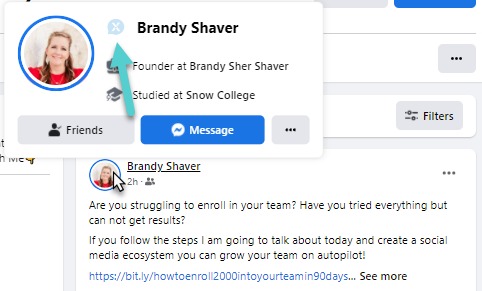
b) Another way is to hover a person's name or icon using your cursor and a pop-up window will show to allow you to click on the LeadMagicX icon.
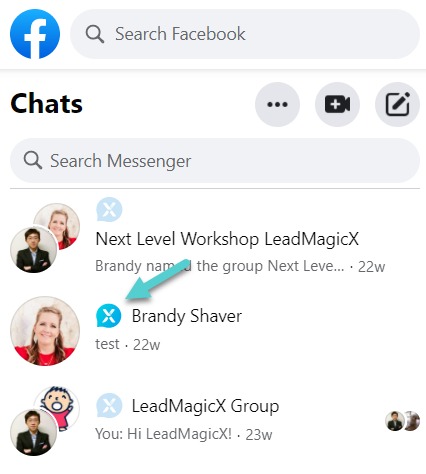
c) Or you can go to Messenger. Under the Chats, the LeadMagicX icon will show up next to the person's name.
2. Add everyone in a chat group to a Funnel/ Stage all at once
- Click on the LeadMagicX icon next to the chat group, add to funnel, select the funnel, select the stage, check the box for "Sync chat group members with selected stage", and save (this process may take up to 30 secs depending on how many people are in the chat group)
- If a person is removed from the chat group on Messenger, repeat the above process (click on the LeadMagicX icon next to the chat group, add to funnel, select the funnel, select the stage, check the box for "Sync chat group members with selected stage", and save) and the person will be removed from LeadMagicX automatically and will no longer receive messages
3. Add everyone in a Facebook group to a Funnel/ Stage all at once
- Go to the Facegook group, click on the LeadMagicX icon next to the group name, click on "Add members to funnel", add to your selected funnel and stage, and save. A pop-up window will show up to process.
- Please wait patiently as this process may take some time depending on how many people are in the group. Once the pop-up window shows "Import is complete. Please close this window", that means the contacts have been added.